Use a public link
A profile link from Share → Copy link, or a link to any of the creator's public posts.
 RedNoteDownloader
Save the public profile picture (avatar) of any RedNote or Xiaohongshu creator from a profile or post link, in the size the page exposes.
Unofficial service — not affiliated with RedNote or Xiaohongshu.
Paste a public profile URL or a post link that includes the creator details.
RedNote only shows profile pictures as a small circle, and the app has no "save avatar" button. This RedNote profile downloader reads the public page behind a profile or post link and returns the avatar image itself, so you can view it at full size and save it. No account or login is needed, and it works on iPhone, Android, and desktop browsers for RedNote and Xiaohongshu profiles alike.
A profile link from Share → Copy link, or a link to any of the creator's public posts.
The result shows the avatar at its exposed size so you can check it is the right account.
Save profile images only when you have the right to use them.
Every public RedNote page carries the author's avatar as an image file on RedNote's content servers. The feed shows it cropped into a small circle; the file behind it is a larger square. The tool finds that file and gives you a direct button to it.
It reads the live page each time, so the result is always the creator's current picture, not a cached copy.
Profile pictures are the simplest case on this site: a single file, no slides, no clips.
RedNote stores avatars square; the circle is only how the app displays them. You get the square, which is handy for cropping your own way.
Post pages reference the avatar as a 120-pixel thumbnail; the tool requests the full-size file behind it instead, typically around 1,000 to 1,300 pixels square depending on what the creator uploaded.
RedNote serves avatars as standard JPG files, which open natively on any phone or computer.
Avatars never carry the app's username watermark, and the tool does not resize, crop, or re-encode anything.
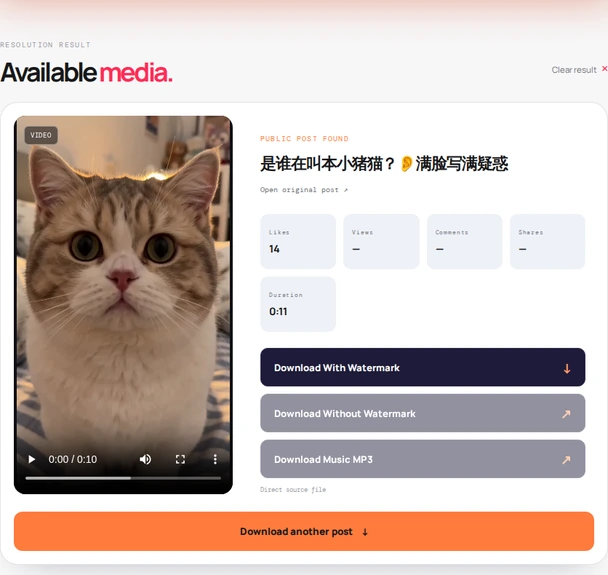
Two kinds of link work: the profile itself, or any public post by that creator.
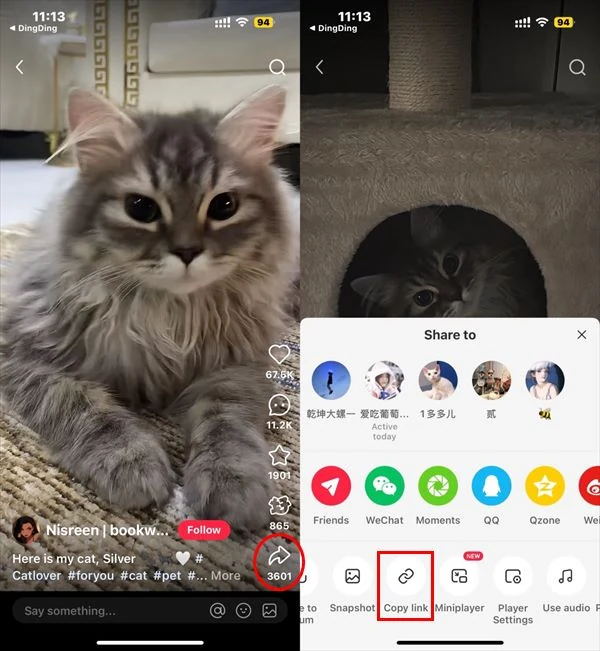
On the creator's profile page, tap Share → Copy link. If that is awkward, open any of their public posts and copy that link instead; the post page includes the author's avatar.
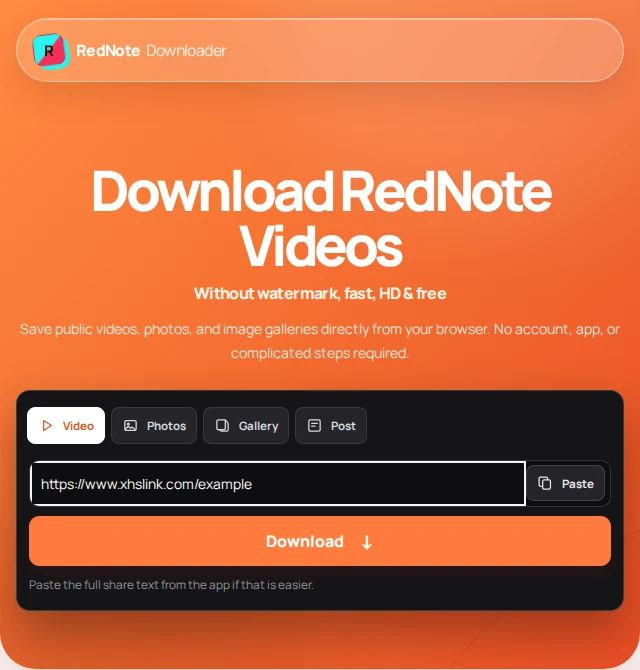
Paste the link or the whole share message into the field above and press Find profile. The avatar appears as the preview.
Press Download Profile Image. If the image opens in a new tab instead of downloading, long-press it on a phone or right-click on a computer and save.
The tool sees what a logged-out visitor sees. If RedNote hides the profile behind a login, so does the result.
The download button points straight at RedNote's content servers, so your browser decides whether to download the image or open it first.
If the avatar opens in a tab, long-press it and choose Save to Photos. Photos keeps the square; crop to a circle there if you need one.
Chrome usually saves straight to Downloads. If the image opens instead, long-press → Download image.
Right-click the opened image → Save image as. It is a plain JPG, so any viewer or editor opens it.
Each tool reads the same public page but returns a different part of it.
Links, sizes, private accounts, and whether anyone finds out.
Not from the name alone; the tool needs a link. Open the creator's profile in the app, tap Share, choose Copy link, and paste that. A link to any of their public posts also works, because the post page includes the author's avatar.
Yes, as full as RedNote serves it. Post pages reference a 120-pixel thumbnail, but the tool requests the full-size file behind it, typically around 1,000 to 1,300 pixels square, far larger than the circle shown in the feed.
No. The tool only reads what a logged-out visitor can see. If a profile is private or the page redirects to a login screen, nothing is returned.
Either works. A post link is often easier to copy and always carries the author's current avatar. A profile link works when the profile page itself is public.
Yes. The tool reads the live public page each time, so you get whatever avatar the profile shows right now, not a cached copy.
The tool sends nothing to RedNote beyond loading the public page, the same request a browser makes when anyone opens the post. It does not log in, follow, like, or interact with the account.
The profile may be private or restricted, the link may have expired, or the page may not expose an avatar to visitors. Try a fresh link to one of the creator's public posts instead.
No. RedNote Downloader is an independent utility and is not affiliated with, endorsed by, or sponsored by RedNote or Xiaohongshu.
Save your own avatar, or a creator's with their permission, for example for a collaboration post or a media kit. Do not use anyone's picture to impersonate them. Read our terms of use and privacy policy.
Last updated .